> ## Documentation Index
> Fetch the complete documentation index at: https://docs.skyfree.io/llms.txt
> Use this file to discover all available pages before exploring further.
# Analytics
The Analytics page provides a unified view of messaging performance across all channels. It helps track delivery, engagement, and automation effectiveness in real time.
 ## Overview
Analytics is organized into multiple sections:
* Overview
* Messages
* Campaigns
* Automations
Each section focuses on a different part of the communication lifecycle.
***
## Overview Tab
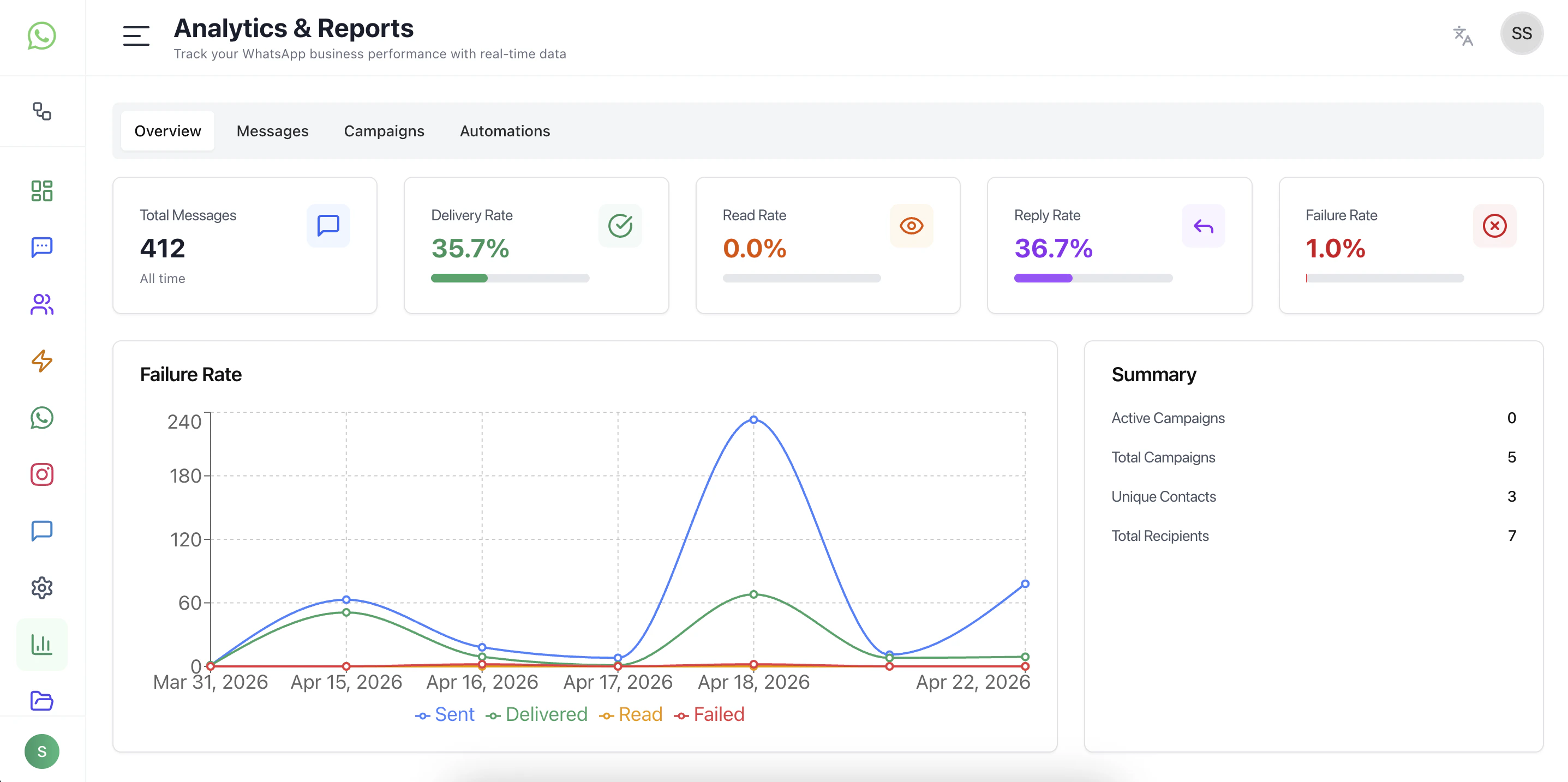
The Overview tab gives a high-level summary of overall performance.
### Key Metrics
* **Total Messages** — Total volume of messages processed
* **Delivery Rate** — Percentage of successfully delivered messages
* **Read Rate** — Percentage of messages opened by users
* **Reply Rate** — Percentage of messages that received responses
* **Failure Rate** — Percentage of messages that failed
### Insights
* Quickly understand system health
* Identify delivery or engagement issues
* Monitor overall messaging trends
***
## Message Analytics
Focuses on message-level performance.
### What it shows
* Sent vs Delivered vs Read vs Failed trends
* Time-based message activity
* Delivery behavior across channels
### Use cases
* Identify drop-offs in delivery
* Monitor read and engagement trends
* Debug messaging issues
## Overview
Analytics is organized into multiple sections:
* Overview
* Messages
* Campaigns
* Automations
Each section focuses on a different part of the communication lifecycle.
***
## Overview Tab
The Overview tab gives a high-level summary of overall performance.
### Key Metrics
* **Total Messages** — Total volume of messages processed
* **Delivery Rate** — Percentage of successfully delivered messages
* **Read Rate** — Percentage of messages opened by users
* **Reply Rate** — Percentage of messages that received responses
* **Failure Rate** — Percentage of messages that failed
### Insights
* Quickly understand system health
* Identify delivery or engagement issues
* Monitor overall messaging trends
***
## Message Analytics
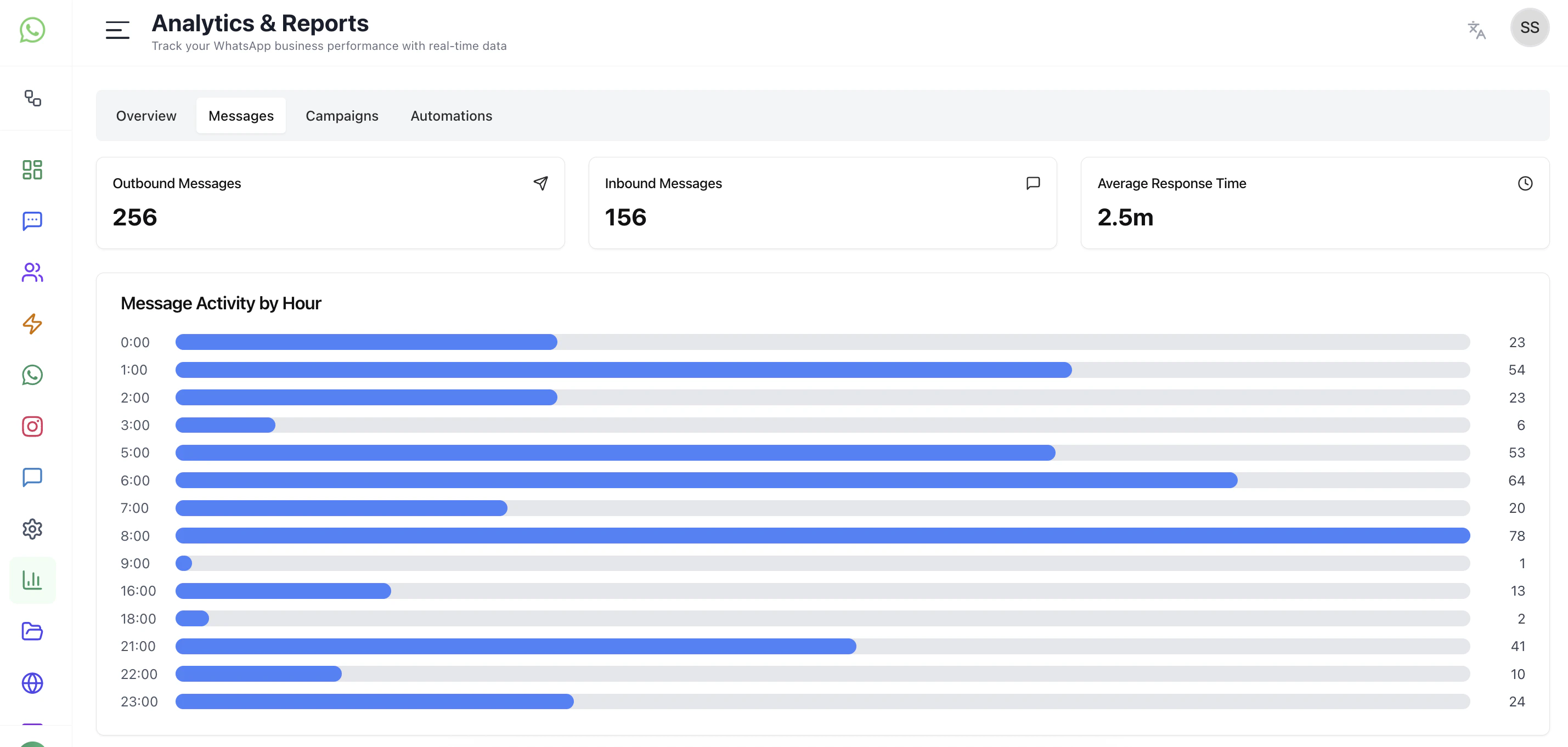
Focuses on message-level performance.
### What it shows
* Sent vs Delivered vs Read vs Failed trends
* Time-based message activity
* Delivery behavior across channels
### Use cases
* Identify drop-offs in delivery
* Monitor read and engagement trends
* Debug messaging issues
 ***
## Campaign Analytics
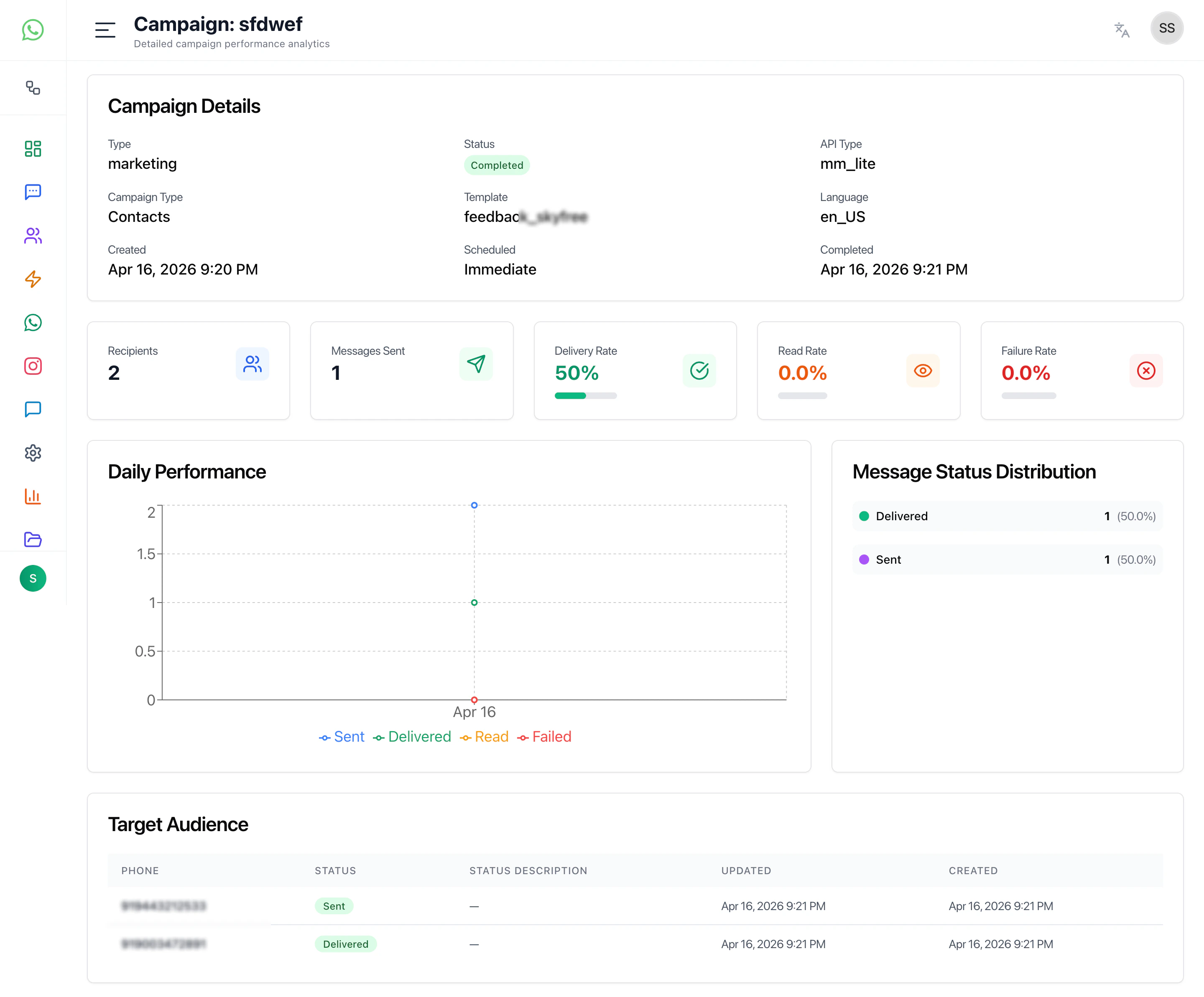
Tracks performance of broadcast campaigns.
### Key insights
* Campaign reach
* Delivery success
* Engagement (reads, replies)
* Audience performance
### Use cases
* Measure campaign effectiveness
* Compare campaign performance
* Optimize targeting and messaging
***
## Campaign Analytics
Tracks performance of broadcast campaigns.
### Key insights
* Campaign reach
* Delivery success
* Engagement (reads, replies)
* Audience performance
### Use cases
* Measure campaign effectiveness
* Compare campaign performance
* Optimize targeting and messaging
 ***
## Automation Analytics
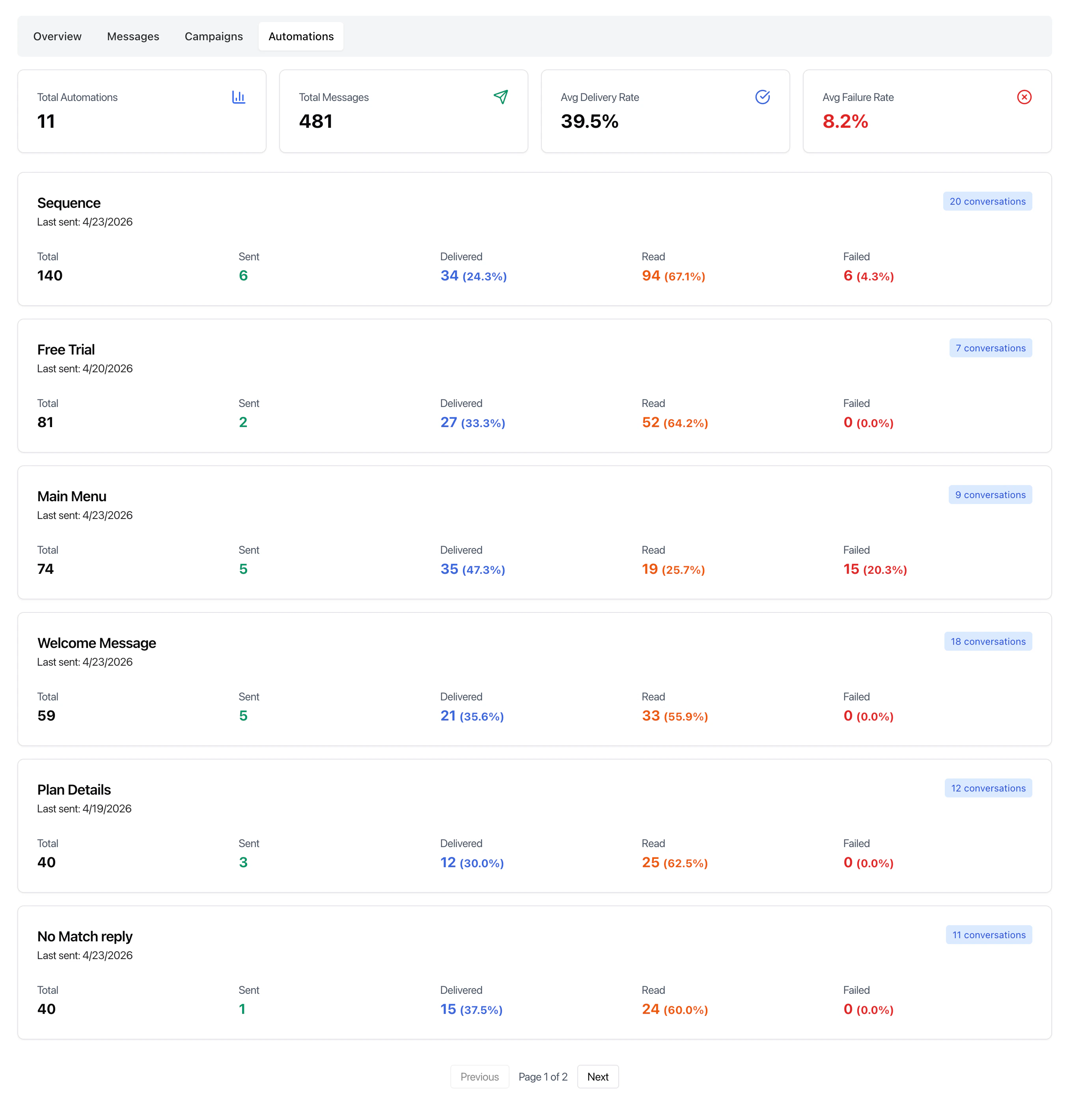
Provides insights into automation workflows.
### What it tracks
* Flow execution volume
* User interaction within flows
* Drop-off points
* Completion rates
### Use cases
* Identify weak points in automation flows
* Improve chatbot performance
* Optimize sequences and journeys
***
## Automation Analytics
Provides insights into automation workflows.
### What it tracks
* Flow execution volume
* User interaction within flows
* Drop-off points
* Completion rates
### Use cases
* Identify weak points in automation flows
* Improve chatbot performance
* Optimize sequences and journeys
 ***
## Charts and Trends
The analytics section includes time-based charts showing:
* Message volume over time
* Delivery vs failure trends
* Engagement patterns
These help visualize performance and detect anomalies quickly.
***
## Summary Panel
Provides quick aggregated data such as:
* Active campaigns
* Total campaigns
* Unique contacts
* Total recipients
***
## Best Practices
* Monitor delivery and failure rates regularly
* Use campaign analytics to improve targeting
* Analyze automation drop-offs to refine flows
* Compare trends over different time ranges
***
## Related Docs
* [Dashboard](/docs/dashboard)
* [Inbox](/docs/inbox)
* [Campaigns](/docs/campaigns)
* [Automations](/docs/automations)
***
## Charts and Trends
The analytics section includes time-based charts showing:
* Message volume over time
* Delivery vs failure trends
* Engagement patterns
These help visualize performance and detect anomalies quickly.
***
## Summary Panel
Provides quick aggregated data such as:
* Active campaigns
* Total campaigns
* Unique contacts
* Total recipients
***
## Best Practices
* Monitor delivery and failure rates regularly
* Use campaign analytics to improve targeting
* Analyze automation drop-offs to refine flows
* Compare trends over different time ranges
***
## Related Docs
* [Dashboard](/docs/dashboard)
* [Inbox](/docs/inbox)
* [Campaigns](/docs/campaigns)
* [Automations](/docs/automations)