> ## Documentation Index
> Fetch the complete documentation index at: https://docs.skyfree.io/llms.txt
> Use this file to discover all available pages before exploring further.
# Labels
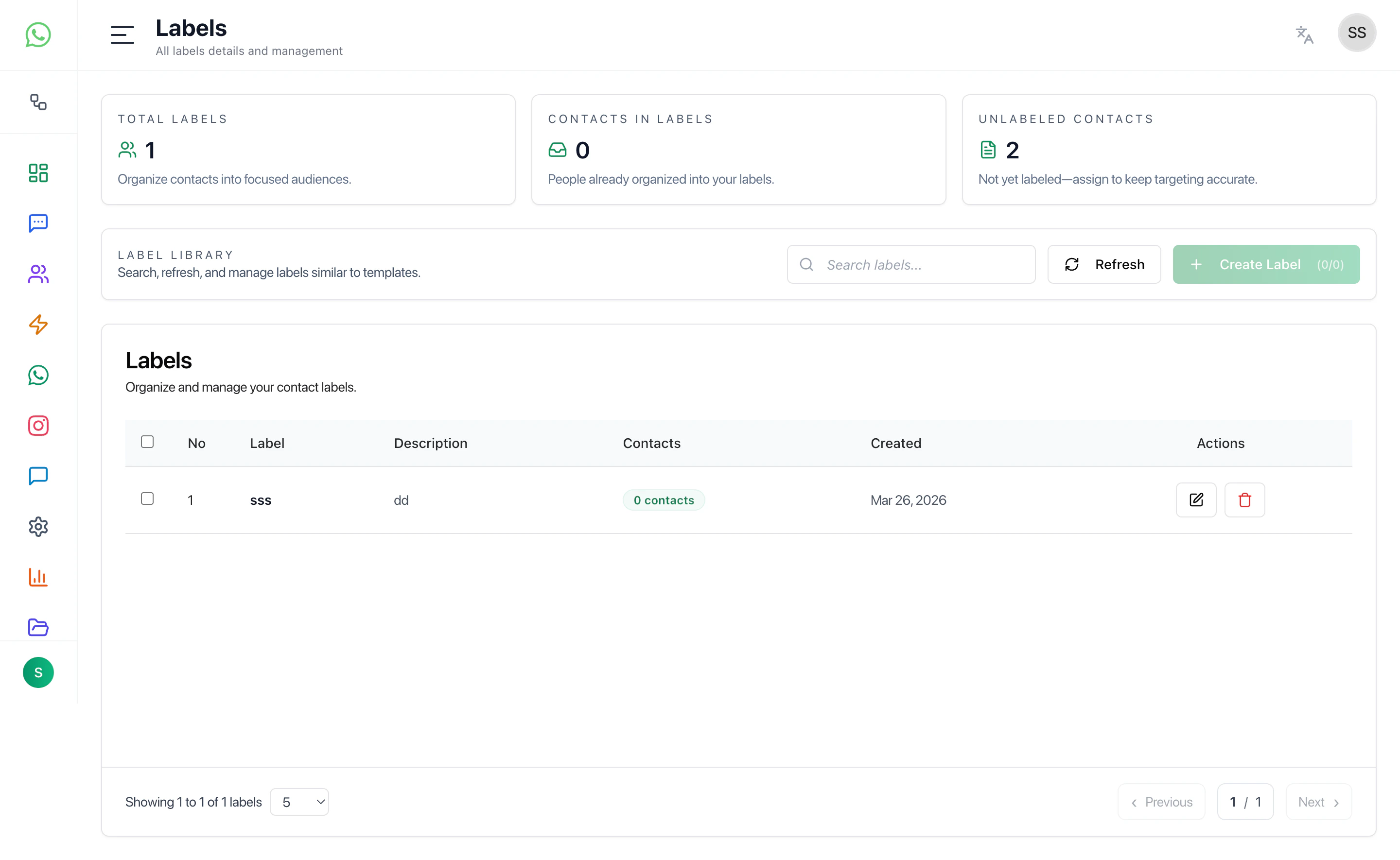
Labels help organize and segment contacts into meaningful groups for campaigns, automation, and targeting.
 ***
## Overview
The Labels page allows you to:
* Create and manage labels
* View all labels in one place
* Track how many contacts belong to each label
* Organize contacts into targeted segments
***
## Label Library
This section displays all created labels.
Each label includes:
* **Label Name** — Identifier for the segment
* **Description** — Optional details about the label
* **Contacts Count** — Number of contacts assigned
* **Created Date** — When the label was created
Use this view to manage and maintain your segmentation structure.
***
## Create Label
Create a new label to organize your contacts.
### Fields
* **Label Name** — Required field for identifying the label
* **Description** — Optional notes about the label
### Actions
* **Create** — Save the label
* **Cancel** — Close without saving
***
## What Labels Are Used For
Labels are commonly used for:
* Campaign targeting
* Customer segmentation
* Workflow automation
* Grouping users by behavior or category
***
## Recommended Workflow
1. Create labels based on your use case
2. Assign labels to contacts
3. Use labels in filters, campaigns, and automations
4. Regularly review and clean unused labels
***
## Best Practices
* Keep label names simple and consistent
* Avoid creating duplicate or similar labels
* Use labels for segmentation, not temporary tagging
* Periodically review label usage
***
## Related Docs
* [Contacts](/docs/contacts)
* [Campaigns](/docs/campaigns)
* [Automations](/docs/automations)
* [Inbox](/docs/inbox)
***
## Overview
The Labels page allows you to:
* Create and manage labels
* View all labels in one place
* Track how many contacts belong to each label
* Organize contacts into targeted segments
***
## Label Library
This section displays all created labels.
Each label includes:
* **Label Name** — Identifier for the segment
* **Description** — Optional details about the label
* **Contacts Count** — Number of contacts assigned
* **Created Date** — When the label was created
Use this view to manage and maintain your segmentation structure.
***
## Create Label
Create a new label to organize your contacts.
### Fields
* **Label Name** — Required field for identifying the label
* **Description** — Optional notes about the label
### Actions
* **Create** — Save the label
* **Cancel** — Close without saving
***
## What Labels Are Used For
Labels are commonly used for:
* Campaign targeting
* Customer segmentation
* Workflow automation
* Grouping users by behavior or category
***
## Recommended Workflow
1. Create labels based on your use case
2. Assign labels to contacts
3. Use labels in filters, campaigns, and automations
4. Regularly review and clean unused labels
***
## Best Practices
* Keep label names simple and consistent
* Avoid creating duplicate or similar labels
* Use labels for segmentation, not temporary tagging
* Periodically review label usage
***
## Related Docs
* [Contacts](/docs/contacts)
* [Campaigns](/docs/campaigns)
* [Automations](/docs/automations)
* [Inbox](/docs/inbox)