> ## Documentation Index
> Fetch the complete documentation index at: https://docs.skyfree.io/llms.txt
> Use this file to discover all available pages before exploring further.
# Overview
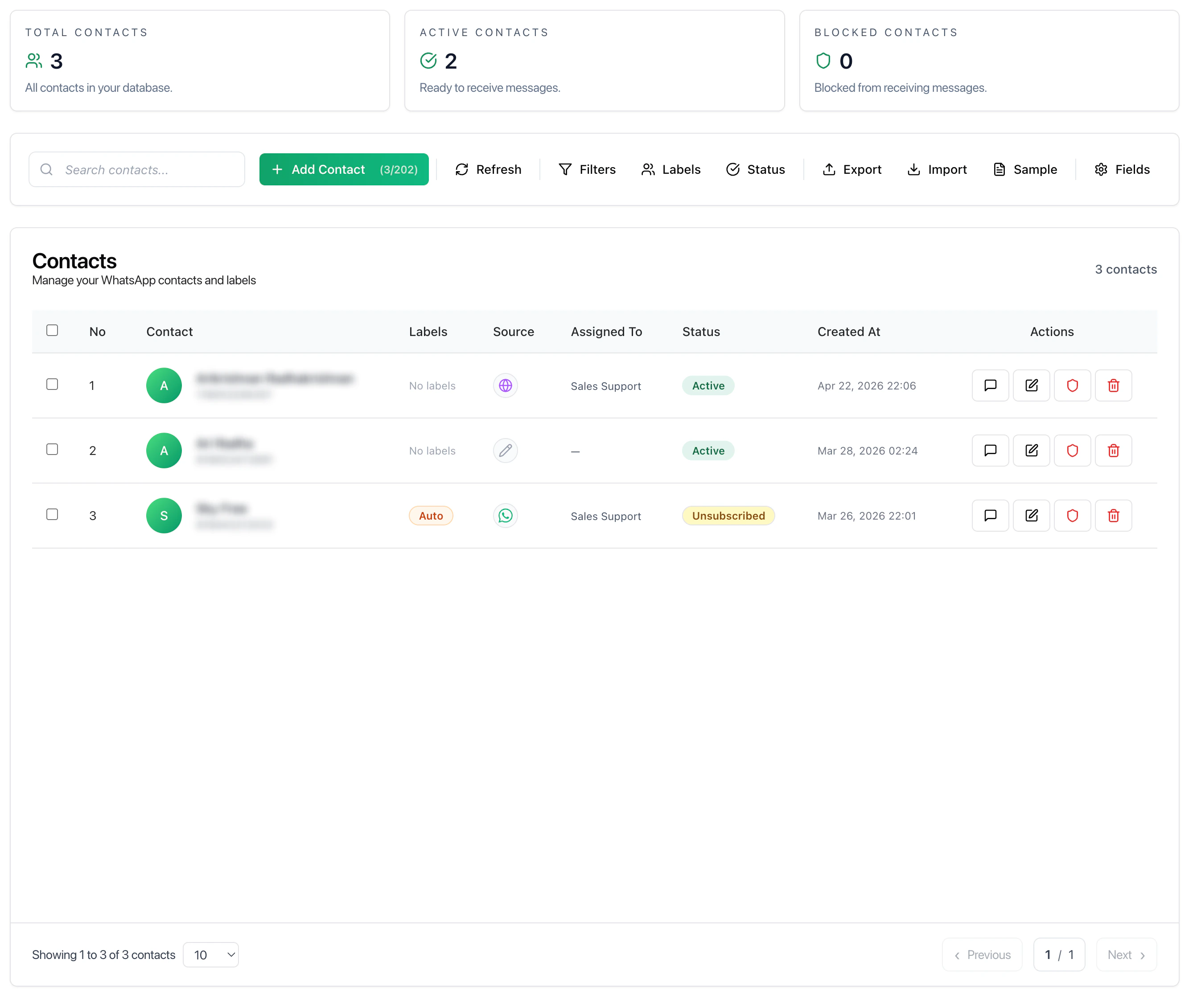
The Contacts page is where all customer data is managed. It provides a centralized view of users across channels along with their status, labels, and activity. Contacts represent all users who have interacted with your system through connected channels.
This page allows you to manage, organize, and take action on your contact database.
 ***
## Key Metrics
* **Total Contacts** — All contacts stored in the system
* **Active Contacts** — Contacts available for messaging
* **Blocked Contacts** — Contacts restricted from receiving messages
These metrics provide a quick snapshot of your contact base.
***
## Key Metrics
* **Total Contacts** — All contacts stored in the system
* **Active Contacts** — Contacts available for messaging
* **Blocked Contacts** — Contacts restricted from receiving messages
These metrics provide a quick snapshot of your contact base.
 ***
## What You Can Do
* View all contacts in one place
* Add new contacts manually
* Search contacts by name or phone
* Manage contact status
* Export or import contact data
## Contact Table
The main table displays detailed information for each contact.
### Fields
* **Contact** — Name and phone number
* **Labels** — Tags used for segmentation
* **Source** — Channel or origin of contact
* **Assigned To** — Responsible team member
* **Status** — Active or unsubscribed
* **Created At** — When the contact was added
## Why Use Contacts
Instead of managing users inside conversations:
* Maintain a structured contact database
* Segment users effectively
* Assign ownership clearly
* Enable better targeting for campaigns
***
## Recommended Workflow
1. Add or import contacts
2. Assign labels for segmentation
3. Assign contacts to team members
4. Use filters to manage groups
5. Use contacts in campaigns or automations
***
## Best Practices
* Keep contact data clean and updated
* Use labels consistently
* Avoid duplicate contacts
* Regularly review inactive or unsubscribed users
* Use import/export for bulk updates
***
## Related Docs
* [Inbox](/docs/inbox)
* [Channels](/docs/channels)
* [Campaigns](/docs/campaigns)
* [Automations](/docs/automations)
***
## What You Can Do
* View all contacts in one place
* Add new contacts manually
* Search contacts by name or phone
* Manage contact status
* Export or import contact data
## Contact Table
The main table displays detailed information for each contact.
### Fields
* **Contact** — Name and phone number
* **Labels** — Tags used for segmentation
* **Source** — Channel or origin of contact
* **Assigned To** — Responsible team member
* **Status** — Active or unsubscribed
* **Created At** — When the contact was added
## Why Use Contacts
Instead of managing users inside conversations:
* Maintain a structured contact database
* Segment users effectively
* Assign ownership clearly
* Enable better targeting for campaigns
***
## Recommended Workflow
1. Add or import contacts
2. Assign labels for segmentation
3. Assign contacts to team members
4. Use filters to manage groups
5. Use contacts in campaigns or automations
***
## Best Practices
* Keep contact data clean and updated
* Use labels consistently
* Avoid duplicate contacts
* Regularly review inactive or unsubscribed users
* Use import/export for bulk updates
***
## Related Docs
* [Inbox](/docs/inbox)
* [Channels](/docs/channels)
* [Campaigns](/docs/campaigns)
* [Automations](/docs/automations)