> ## Documentation Index
> Fetch the complete documentation index at: https://docs.skyfree.io/llms.txt
> Use this file to discover all available pages before exploring further.
# Support
The Support section allows users to raise and track issues through tickets. It is designed to ensure problems are reported clearly and resolved efficiently.
 ***
## Create New Ticket
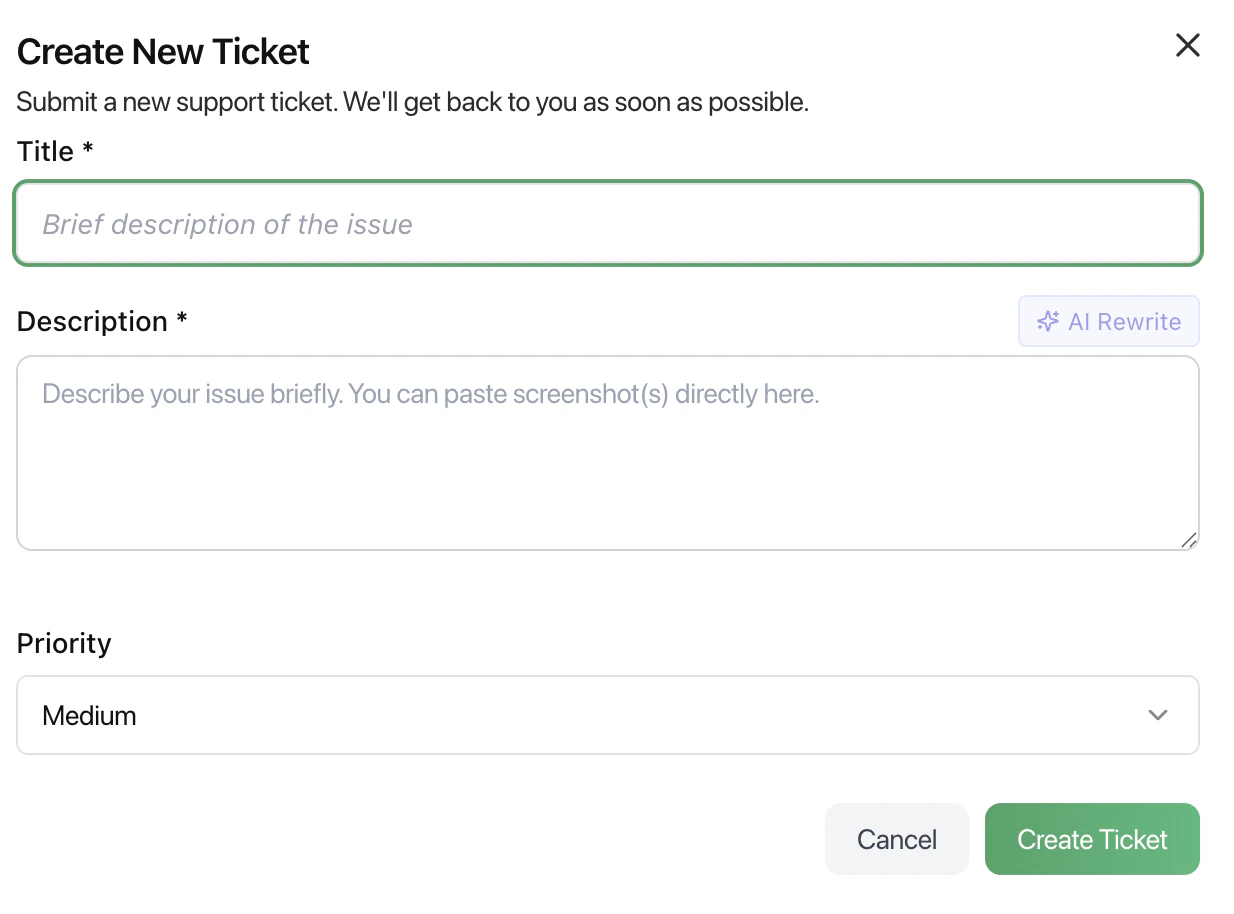
Users can submit a new support request using the ticket form.
### Fields
* **Title**\
A short summary of the issue.
* **Description**\
Detailed explanation of the problem.\
Screenshots or additional context can be added.
* **AI Rewrite (optional)**\
Helps refine or improve the description for clarity.
* **Priority**\
Defines the urgency of the issue:
* Low
* Medium
* High
***
## How to Create a Ticket
1. Click **Create Ticket**
2. Enter a clear title
3. Provide a detailed description
4. Set the appropriate priority
5. Submit the ticket
***
## Best Practices
* Keep the title short and specific
* Include steps to reproduce the issue
* Attach screenshots when possible
* Set priority based on urgency, not importance
* Avoid vague descriptions
***
## What Happens Next
* The ticket is submitted to the support team
* It is reviewed and prioritized
* Updates may be shared based on progress
* The issue is resolved and closed
***
## Related Docs
* [Inbox](/docs/inbox)
* [Team Management](/docs/team-management)
* [Channels](/docs/channels)
***
## Create New Ticket
Users can submit a new support request using the ticket form.
### Fields
* **Title**\
A short summary of the issue.
* **Description**\
Detailed explanation of the problem.\
Screenshots or additional context can be added.
* **AI Rewrite (optional)**\
Helps refine or improve the description for clarity.
* **Priority**\
Defines the urgency of the issue:
* Low
* Medium
* High
***
## How to Create a Ticket
1. Click **Create Ticket**
2. Enter a clear title
3. Provide a detailed description
4. Set the appropriate priority
5. Submit the ticket
***
## Best Practices
* Keep the title short and specific
* Include steps to reproduce the issue
* Attach screenshots when possible
* Set priority based on urgency, not importance
* Avoid vague descriptions
***
## What Happens Next
* The ticket is submitted to the support team
* It is reviewed and prioritized
* Updates may be shared based on progress
* The issue is resolved and closed
***
## Related Docs
* [Inbox](/docs/inbox)
* [Team Management](/docs/team-management)
* [Channels](/docs/channels)