

What is this?
The Inbox is where live work happens. All your connected channels feed into one queue, so your team can see what’s incoming, pick up the right conversations, and reply with full context.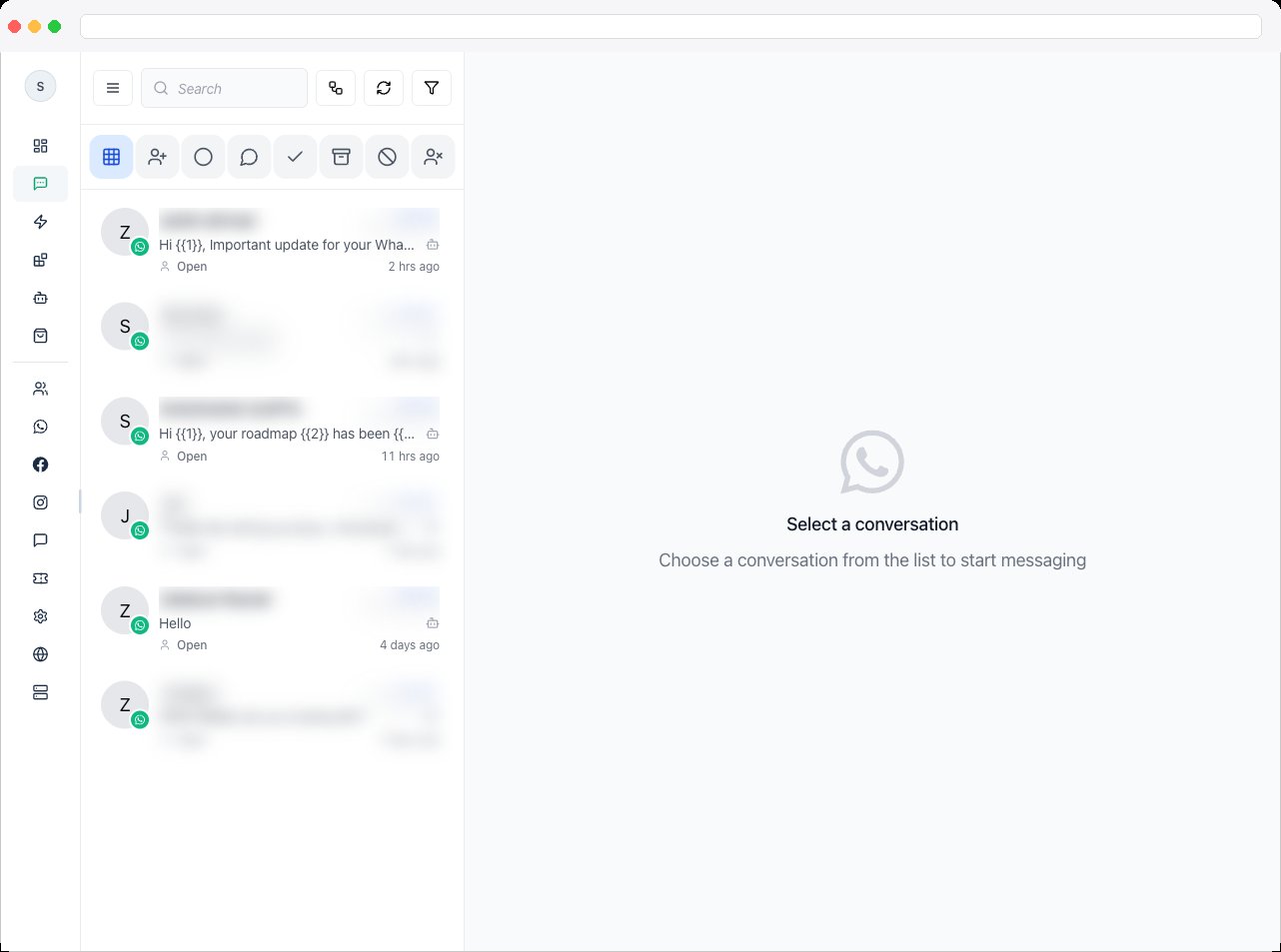
Inbox shows conversations for the active channel. Viewing it requires the inbox permissions on your account, and replying requires permission to send messages. See Team for how to grant them.
What can I do here?
- Work one queue for every channel — WhatsApp, Instagram, Facebook Messenger, and Web Chat conversations appear together so nothing is missed
- Keep clear ownership — assign each conversation to one teammate to avoid duplicate replies
- See full context in the thread — messages, automated replies, and internal Notes appear together
- Reply quickly — use templates, quick replies, media, and automations without leaving the conversation
How Inbox is organized
Inbox is built around four areas that work as a single workflow:Conversation View
Read history, check context, and reply.
Notes
Leave internal context that only your team sees.
Automation
Automate routine replies and routing.
Pipelines
Track business progress alongside the conversation.
How to use it
- Filter first on busy queues. Start with Open Chats or Assigned to Me before scanning, so you find urgent conversations faster.
- Read before you type. Check the last few messages, any Notes, and recent Events before replying.
- Keep one owner per conversation. If you pick it up, assign it to yourself. If you hand it off, add a Note — “Customer requested callback after 5 PM.”
- Use templates deliberately. Choose the template that matches the customer’s intent rather than a generic reply that misses the question.
- Organize with labels. Use Labels and Custom Fields so campaigns and automations act on the same segmentation you see in Inbox.
Troubleshooting / Technical Notes
- The list is empty or shows the wrong conversations. Inbox follows the active channel — check it in Channels.
- You can’t reply. Check the banner above the composer. It explains why — for example, the conversation is unassigned, the 24-hour window closed, or you don’t have permission. See Conversation View.