

Requires the White-Label add-on. This page is part of the White-Label add-on, which lets you create and sell white-label platforms to your own customers. Without the add-on, it doesn’t appear in the Instance menu. See the Self-Hosted overview to compare the two levels, and check Licence to see what your instance includes. It also requires the
instance:view permission.What is this?
Whitelabel App Generation tracks the mobile app build jobs generated for your white-label platforms — the branded Android and/or iOS apps produced when a platform owner requests their own app build.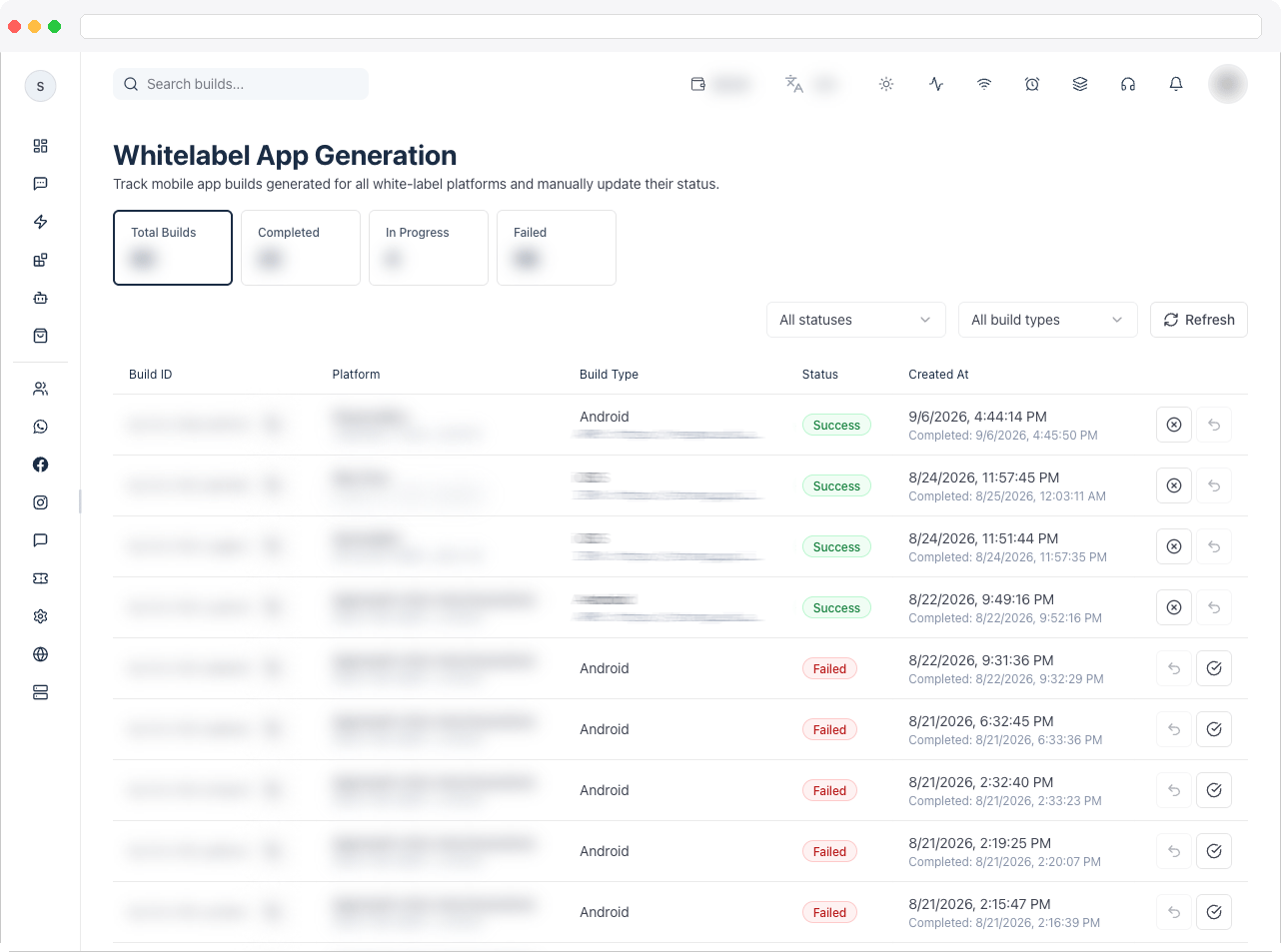
What can I do here?
- View summary tiles: Total Builds, Completed, In Progress, and Failed
- Filter builds by status (All, Completed, In Progress, Pending, Failed) and by build type (All, Android, iOS, Android + iOS)
- Search builds by keyword
- Refresh the list on demand
- See, per build: build ID, platform name/ID, build type, current status, any error message, generated app file paths (APK/IPA), created date, and completed date
- Copy a build ID to the clipboard
- Manually mark a build as Failed or as Completed (and undo either marking)
How to use it
Review build status
- Use the status and build type dropdowns in the toolbar to narrow the list, or search by keyword.
- Each row shows the build’s current status as a colored pill (Completed, In Progress, Pending, or Failed) along with any error message and the generated Android/iOS file paths once available.

Copy a build ID
- Click the copy icon next to a build ID to copy the full ID to your clipboard — useful when following up with the build/CI system directly.
Mark a build’s outcome manually
- Find the build in the table.
- Click the X icon to mark it Failed, or the check icon to mark it Completed. Each action can be undone with the same icon (which toggles to an undo icon) as long as the build isn’t already in that terminal state.
