

Requires Credit Line on your license. If it isn’t included, the page shows “Credit line is not included in your current plan” — contact support or purchase the add-on to enable it. It also requires the
instance:view permission.What is this?
WhatsApp Credit Line Pricing (shown on the page as WhatsApp Conversation Pricing) is the rate card that prices WhatsApp Credit Line messages on your instance. Each rate is set for a market (country) and a message category, with a currency and an effective date.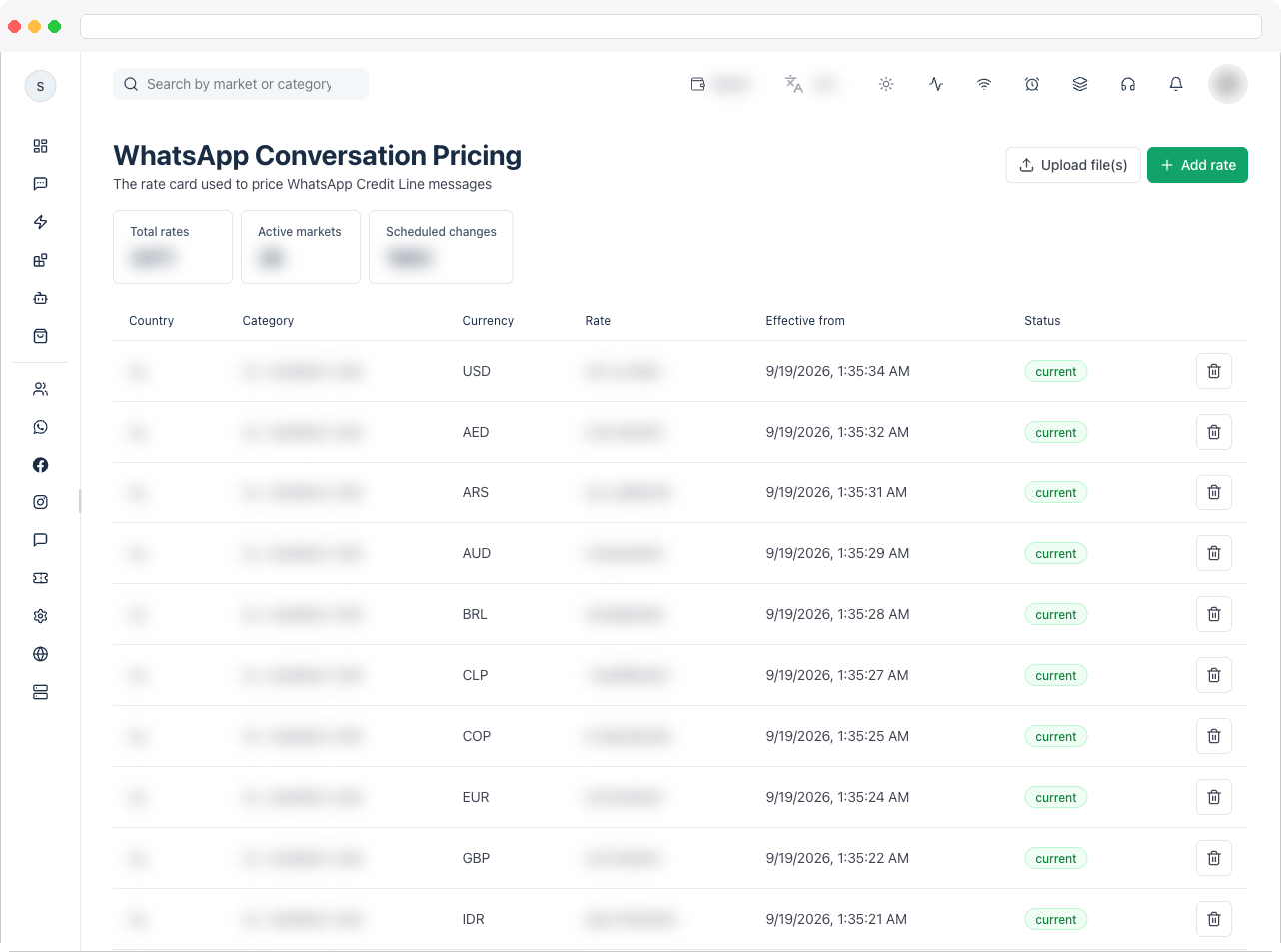
What can I do here?
- See summary tiles: Total rates, Active markets, and Scheduled changes
- Review each rate’s Country, Category, Currency, Rate, Effective from, and Status
- Add rate to add or update a single rate
- Upload file(s) to import a whole rate card from a
.csvor.xlsxfile - Deactivate a rate you no longer want to apply
How to use it
Add or update a rate
- Go to Platform → Instance → WhatsApp Credit Line Pricing and click Add rate.
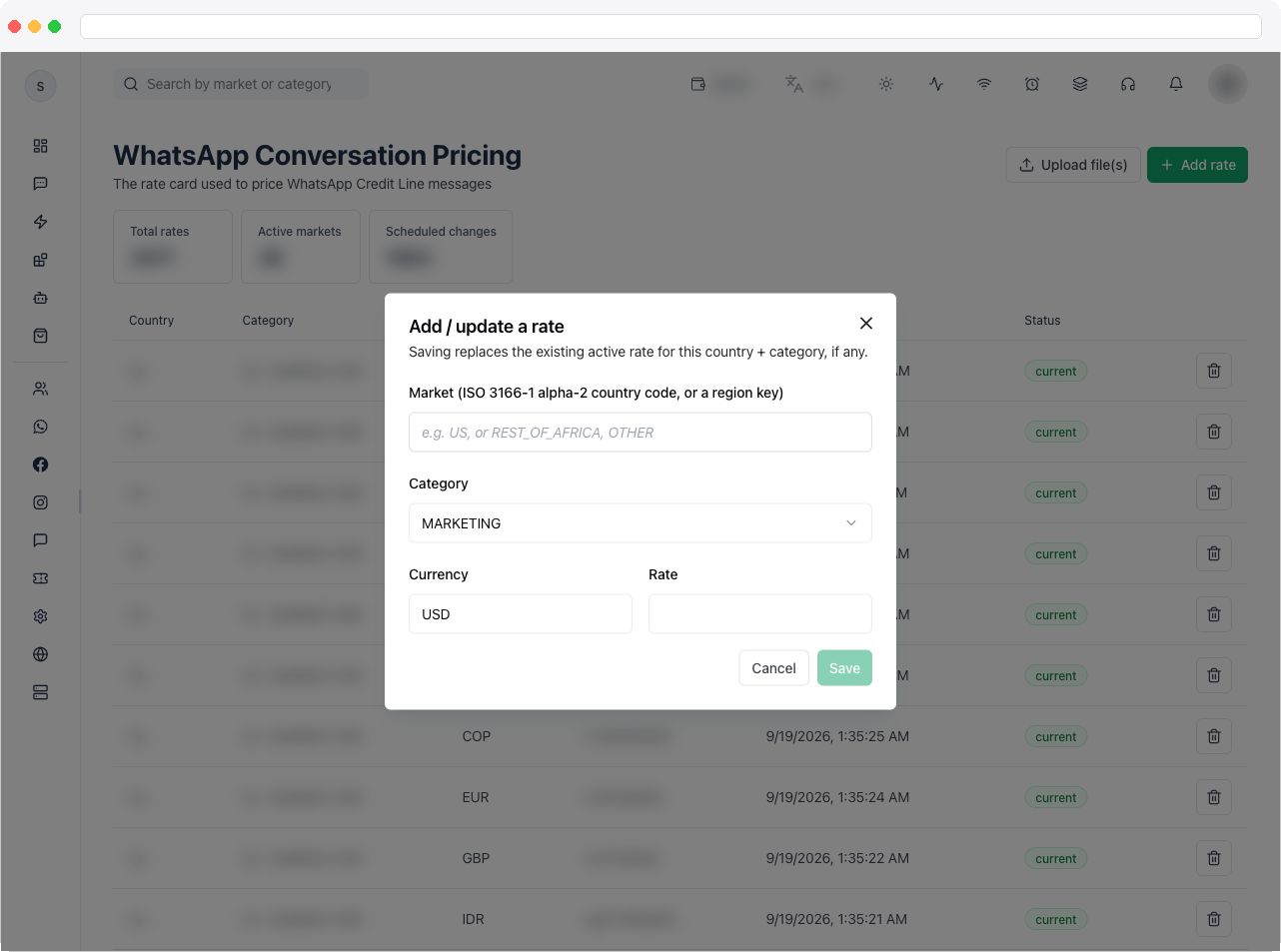
- Enter the Market as an ISO 3166-1 alpha-2 country code, such as
US, or a region key such asREST_OF_AFRICAorOTHER. - Choose the Category and Currency, and enter the Rate.
- Save. Saving replaces the existing active rate for the same country and category, if there is one.
Import a rate card
- Click Upload file(s) and choose a
.csvor.xlsxfile. - In Import rate card, optionally set Effective from to schedule the changes for a future date. Leave it empty to apply them right away.
- Review the preview and confirm. The result tells you how many changes were applied or scheduled, and lists any rows that had errors.
Deactivate a rate
Click Deactivate on a rate’s row to stop applying it.Troubleshooting / Technical Notes
- “Credit line is not included in your current plan.” Your license doesn’t include Credit Line. Contact support or purchase the add-on.
- “Import finished with errors.” Some rows in your file couldn’t be applied. Check the messages listed for each file, fix those rows, and import again.
- A rate isn’t applying yet. It may be a Scheduled change with a future Effective from date.
- Where do customers see credit-line billing? Credit-line wallets are configured in Wallet Settings.