

What is this?
Trial Settings controls how the signup free trial is granted. When it’s on, new signups automatically start on the plan and payment provider you choose here, for the number of days you set.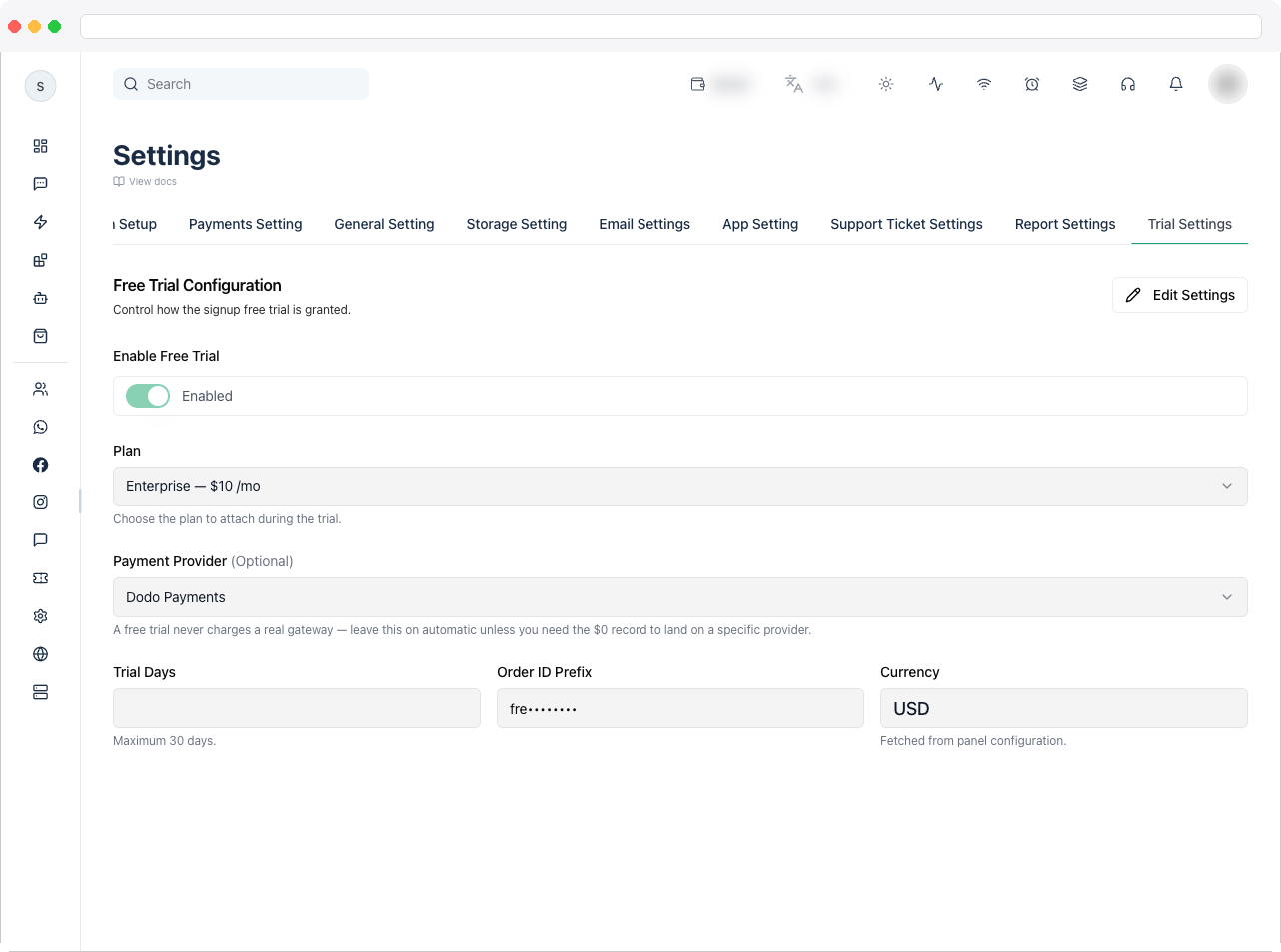
What can I do here?
- Turn the free trial on or off with Enable Free Trial
- Choose the Plan that is attached during the trial
- Choose the Payment Provider (only active providers are listed)
- Set Trial Days — from 1 up to a maximum of 30
- Set an Order ID Prefix for trial orders
- Review the Currency, which is fetched from your panel configuration and is read-only
How to use it
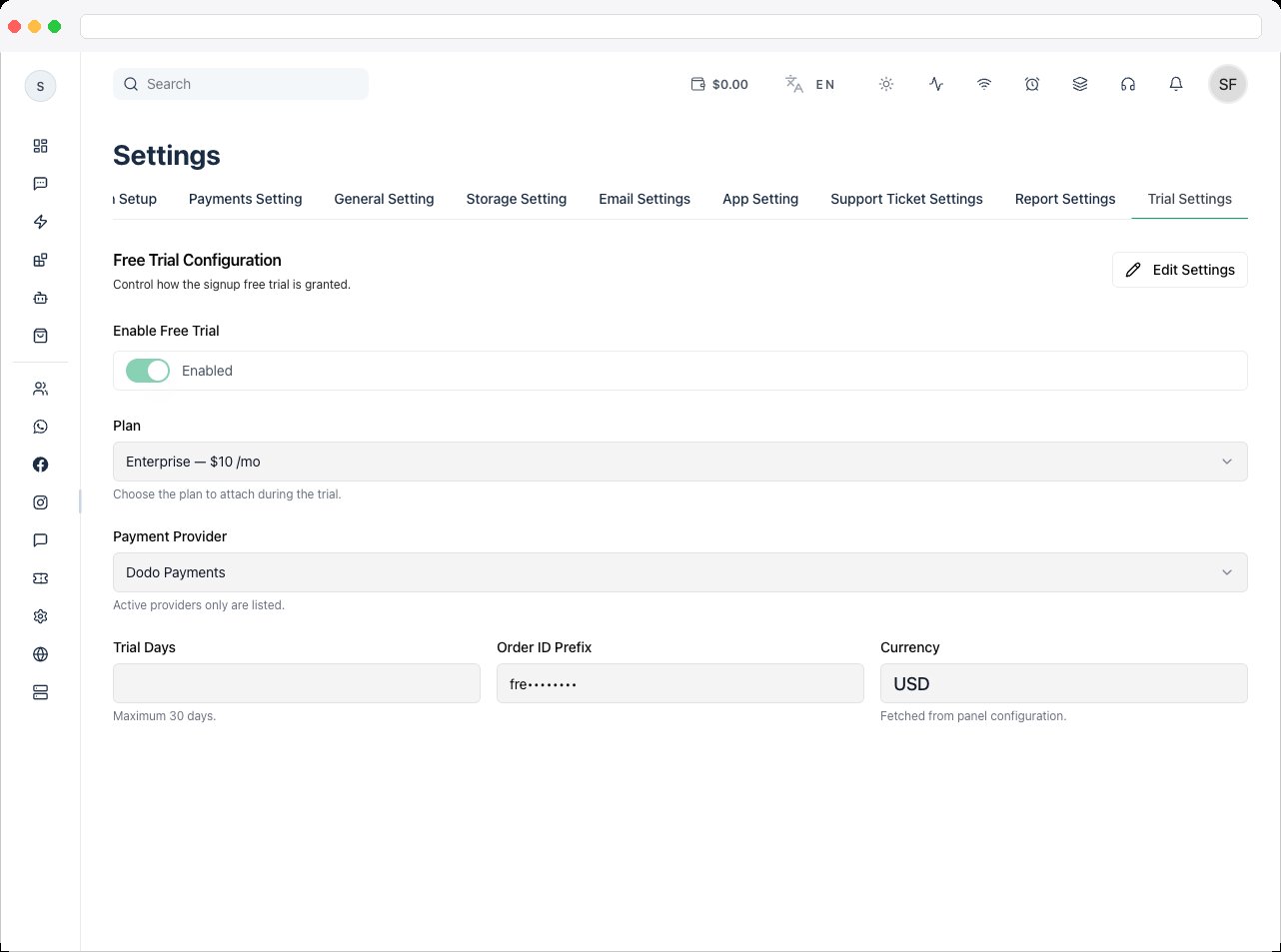
- Go to Platform Settings → Trial Settings and click Edit Settings.
- Turn on Enable Free Trial.
- Under Plan, select the plan customers get during the trial.
- Under Payment Provider, select an active provider.
- Enter Trial Days (1–30) and an Order ID Prefix.
- Click Save Settings.
Create the plan in Platform Plans and activate a provider in Payment Gateway first — they must exist before you can select them here.
Troubleshooting / Technical Notes
- “Please select a plan for the trial.” Choose a plan before saving.
- “Please select a payment provider.” Choose an active provider before saving.
- “Trial days must be at least 1” or “cannot exceed 30.” Enter a value between 1 and 30.
- The provider I need isn’t listed. Only active providers appear — activate it in Payment Gateway.